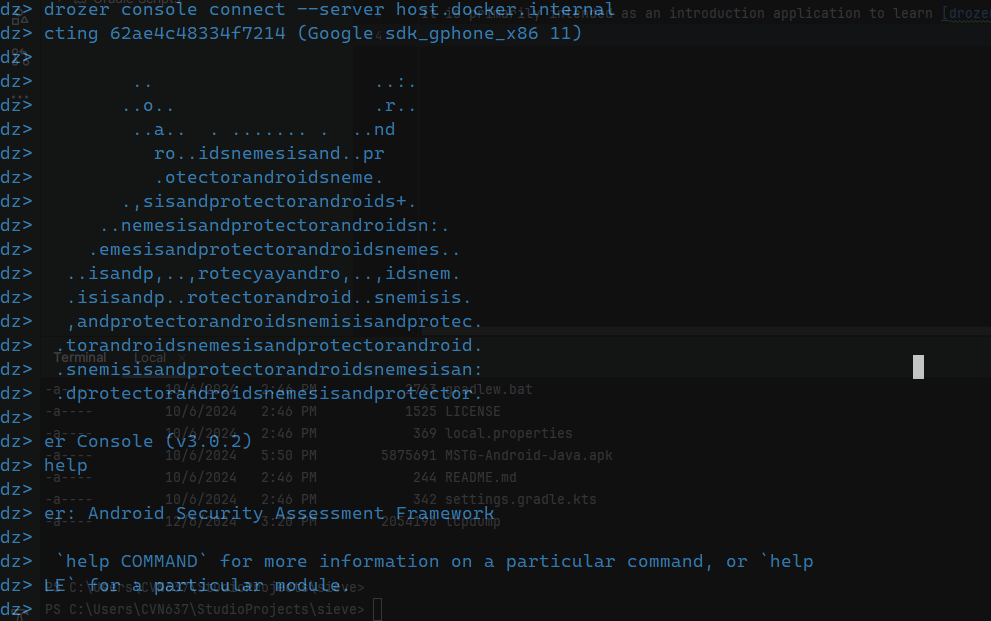
Using drozer in a docker container with an Android Emulator
Docker Android Pentest
Here is the situation. I want to test out drozer which is a dynamic analysis tool mainly use by security professional to analyze android apk(s). For this blog, I have picked the intentionally vulnerable apk named Sieve. However, I don’t have an Android Phone and I don’t have a Kali Linux to run my drozer agent. And to be honest, it’s just too much of a hassle to install a virtual machine in my Windows machine.
So to overcome this, I had this idea to use an Android Emulator and a drozer inside of a docker container.
Prerequisites
- Docker Desktop
- Android Studio
- drozer docker image
- drozer agent apk
You can easily search for Docker desktop and Android Studio download easily in the internet and follow the instructions accordingly.
The Steps
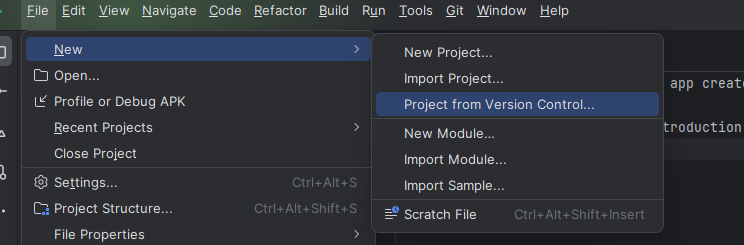
Import the Sieve project from Github in Android Studio.
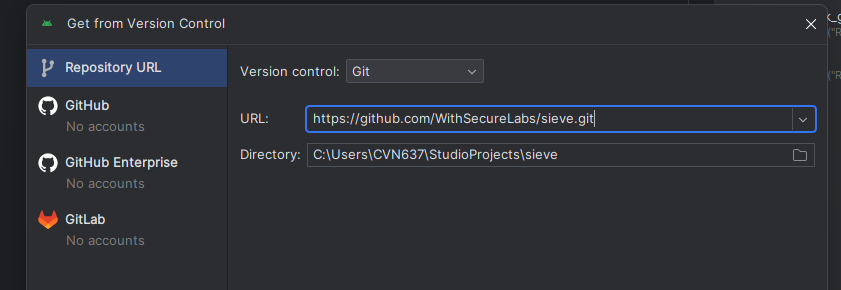
Then put the github link repo for Sieve.
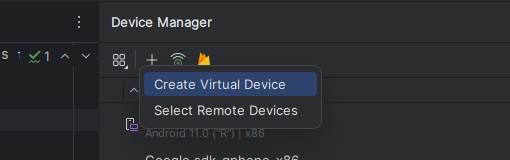
Go to Android studio → Device Manager → Create Virtual Device.
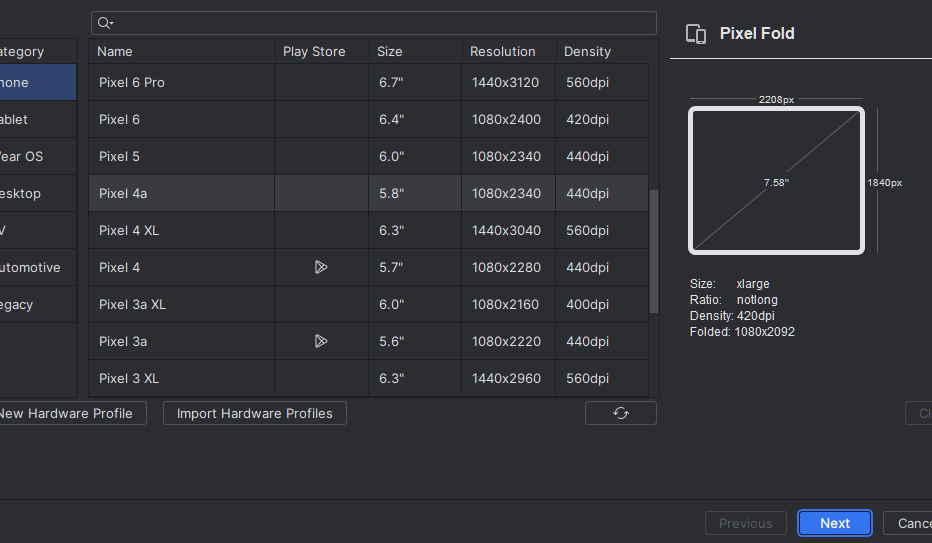
Pick any Phone that does not have any PlayStore feature. This is because having Playstore will prevent from doing adb root. Click next.
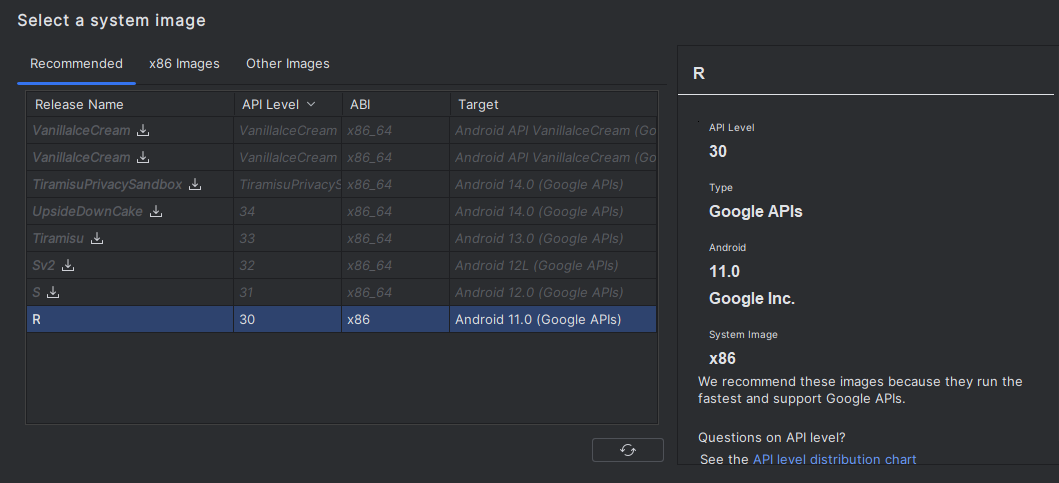
Pick R for the Release Name. Target Android 11. Then click Next.
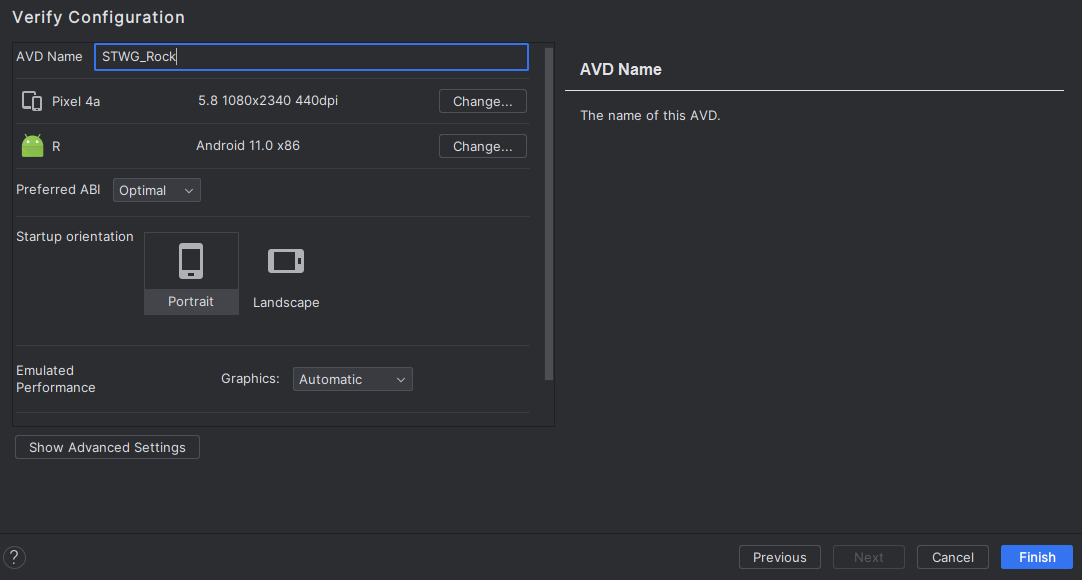
Name the Device and click Finish.
Then run the app. This will install the apk and at the same time run the emulator.

Once the device is up running, install drozer agent apk
adb install .\drozer-agent.apk
adb forward tcp:31415 tcp:31415
You will see the drozer agent apk appears in the Application list.
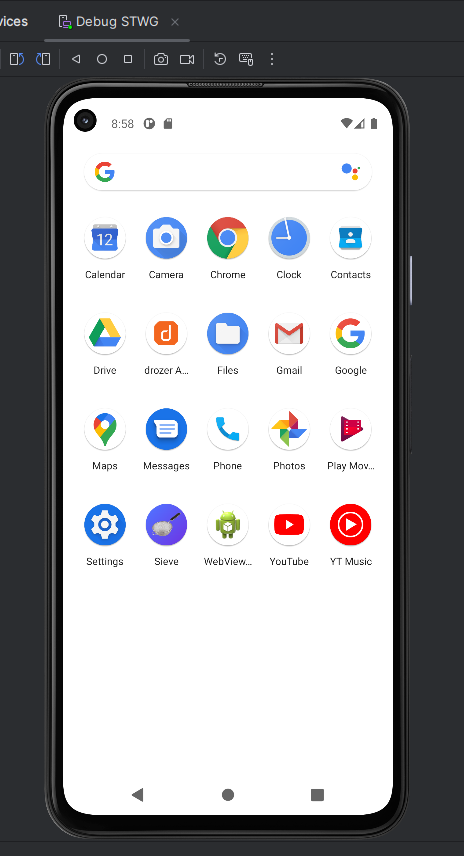
Set up your drozer server in the docker container. Then once running, connect with your drozer agent.
docker pull withsecurelabs/drozer
docker run --net host -it --entrypoint sh withsecurelabs/drozer
drozer console connect --server host.docker.internal